Blog 2
The Complete Guide to Secure IT Disposal: What Every Business Needs to Know.
The Complete Guide to Secure IT Disposal: What Every Business Needs to Know.
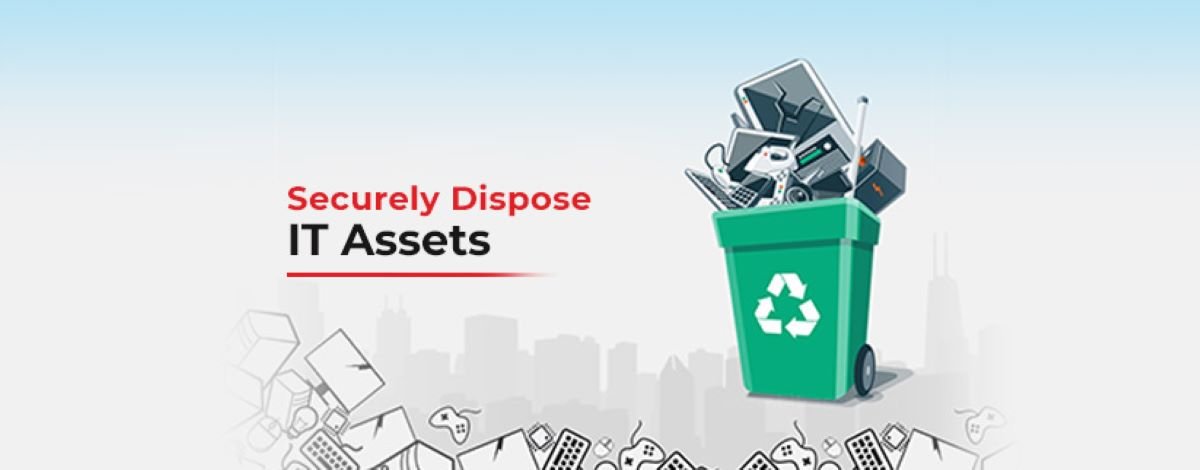
In today's digital age, the proper disposal of IT equipment is crucial for businesses of all sizes. The rise of data breaches and increasing environmental concerns necessitate secure and responsible disposal practices. This guide will provide you with everything you need to know about secure IT disposal, including best practices for data wiping, hard drive destruction, and environmentally responsible disposal methods.
The improper disposal of IT equipment can lead to significant security risks, including:
Partnering with a professional IT disposal service, such as Capital IT Recycling, ensures that your IT equipment is disposed of securely and in compliance with regulations. These experts specialise in data destruction and environmentally responsible recycling practices, allowing businesses to focus on their core operations without worrying about potential security risks.
Data wiping is a crucial step in IT disposal that involves erasing sensitive information from storage devices. Here are some best practices for secure data wiping:
Invest in certified data wiping software that meets industry standards for data destruction. Look for software that provides:
The National Institute of Standards and Technology (NIST) provides guidelines for data sanitisation. Familiarise yourself with NIST Special Publication 800-88, which outlines best practices for data destruction, including:
Maintain a record of all devices that have been wiped and their corresponding data wiping methods. This record can serve as proof of compliance and is essential for audits.
Create a comprehensive data retention policy to guide your organisation on how long different types of data should be kept. This policy should outline:
In some cases, data wiping may not be enough, particularly for highly sensitive information. Hard drive destruction ensures that data is irretrievable. Here are the best practices for hard drive destruction:
There are several methods for physically destroying hard drives, including:
Work with a certified destruction service, like Capital IT Recycling, that follows industry standards and provides a certificate of destruction. This documentation is crucial for compliance and provides assurance that data has been destroyed securely.
Different types of hard drives may require varying destruction methods. Understanding these differences can help in selecting the most effective destruction method:
Beyond data security, businesses must consider the environmental impact of IT disposal. Here are some environmentally responsible disposal methods:
Instead of sending IT equipment to landfills, partner with e-waste recycling companies that specialise in responsibly recycling electronic devices. Benefits include:
If equipment is still functional, consider donating or reselling it instead of recycling it. This approach can benefit local charities or schools while extending the life of the equipment. Ensure that all data is wiped securely before donation or resale.
Establish a green IT policy within your organisation to promote responsible disposal practices. This can include:
Partner with certified e-waste recyclers to ensure that your IT assets are disposed of in compliance with local and international regulations. Certified recyclers follow stringent guidelines for processing e-waste, ensuring that hazardous materials are handled safely and responsibly.
To further mitigate the risks associated with data breaches, businesses should implement comprehensive data security strategies, including:
Engaging employees in secure IT disposal practices is essential for ensuring compliance and reducing risks. Consider the following strategies:
Stay informed about changing regulations and compliance requirements related to data protection and IT disposal. Regularly review relevant laws and industry standards to ensure that your organisation remains compliant.
Implement IT asset management (ITAM) solutions to track and manage your IT assets throughout their lifecycle. An effective ITAM strategy helps:
Secure IT disposal is a critical aspect of data protection and environmental responsibility. By following best practices for data wiping, hard drive destruction, and environmentally responsible disposal methods, businesses can safeguard sensitive information and contribute to a sustainable future.
For expert assistance with secure IT disposal, contact Capital IT Recycling. Our certified services ensure that your IT assets are disposed of securely and in compliance with all regulations, providing you with peace of mind.
By prioritising secure IT disposal, your business can protect sensitive data, minimise environmental impact, and demonstrate a commitment to corporate social responsibility. Implement these practices today to ensure a secure and responsible approach to IT disposal.
Don’t wait until it’s too late. Implement secure IT disposal practices now to protect your business and the environment. Reach out to Capital IT Recycling for a consultation and to learn more about our comprehensive IT disposal services.
By taking the necessary steps towards secure IT disposal, your organisation not only fulfils its legal obligations but also contributes to a safer, greener world for future generations.
The most important aspect of beauty was, therefore, an inherent part of an object, rather than something applied superficially, and was based on universal, recognisable truths. The notion of style in the arts was not developed until the 16th century, with the writing of Vasari: [11] by the 18th century, his Lives of the Most Excellent Painters, Sculptors, and Architects had been translated into Italian, French, Spanish, and English.